The capture director owns the task sequence, session readiness and task resets. Pass and fail are optional annotations, not gates. Keep the monitor visible throughout the session.
01
Create the task sequence
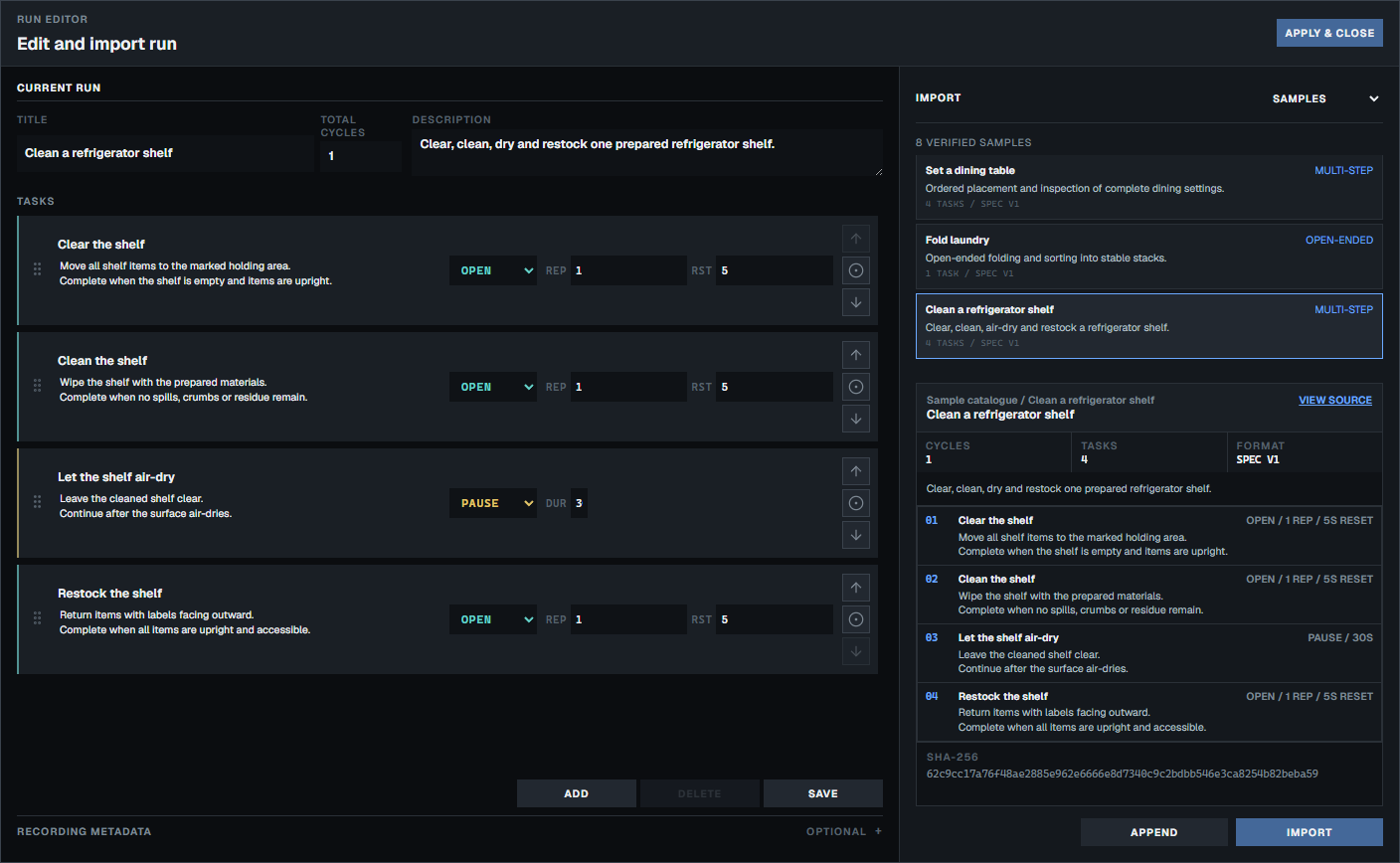
In RUN, name the run, describe the protocol and set the cycle count. Select ADD for each step, then choose OPEN, TIMED or PAUSE.
Write a short cue that tells the demonstrator what to do.
For a timed task, set the duration. For open and timed tasks, set repetitions and a reset window.
Use a pause when the protocol needs a deliberate break.
Reorder steps until they match the real-world sequence, then select SET once the demonstrator is linked.
Example task draft: add a step, choose its type and complete the values before applying the run.
02
Pair and check readiness
Select CREATE INVITE, then share the link or QR code with the demonstrator. Ask them to open it in Quest, allow camera and microphone access and enter XR.
LINK reads LINKED.
The footer reads GO.
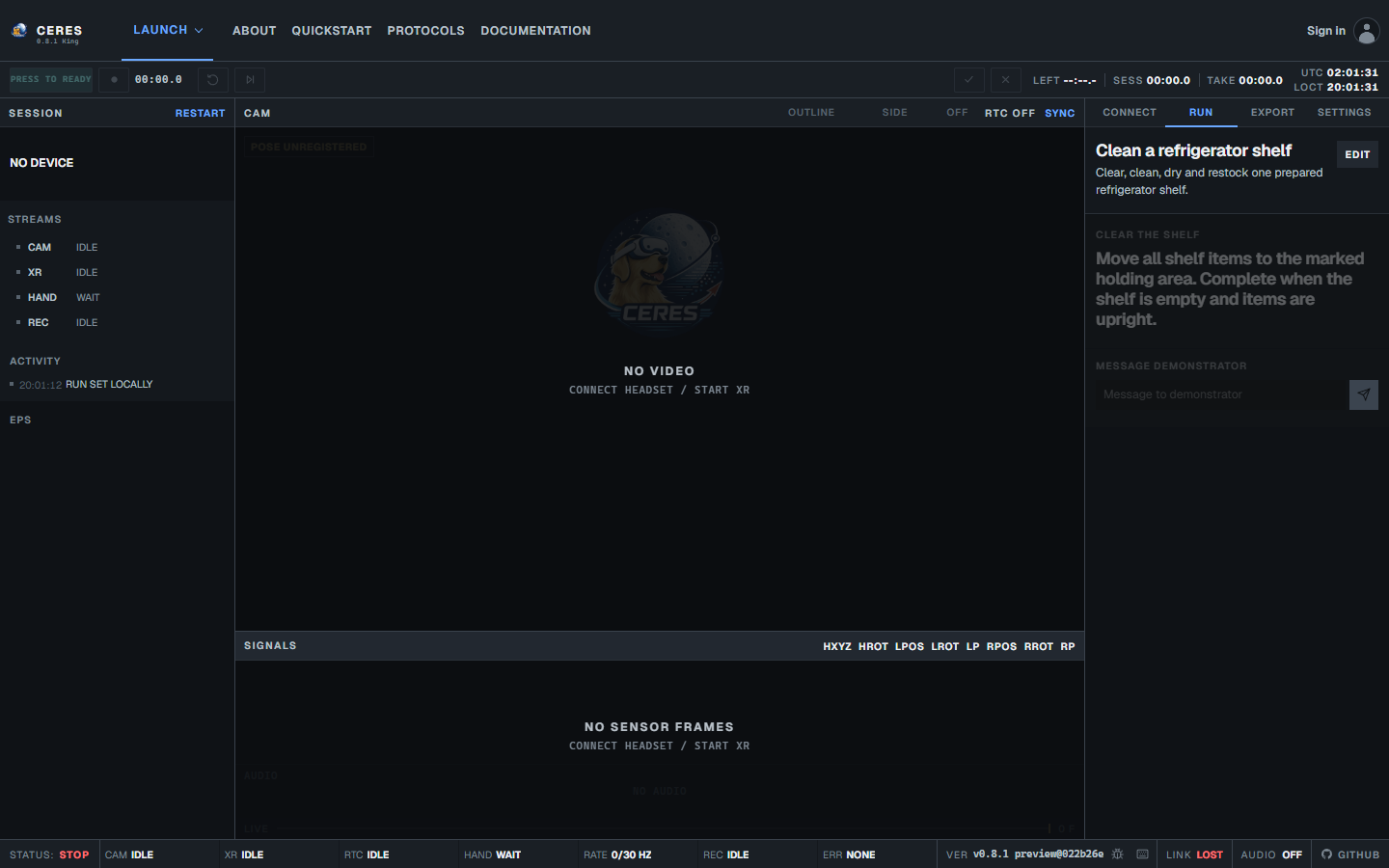
CAM, XR and REC are ready.
Both hand overlays follow the demonstrator before a two-hand task.
Use the footer and camera bay to confirm that the session is ready before the first take.
03
Direct the take
Put the demonstrator in the start position and confirm the correct task is visible.
Set director readiness, then ask the demonstrator to tap the full-width readiness region in the headset.
Ask the demonstrator to begin only after the region turns green and REC appears in the HUD.
Watch the live view, hand overlays, speed warnings and status footer while the action is under way.
Pause when the scene needs adjustment or the demonstrator needs to stop. Resume only when both of you are ready.
04
Review while the action is fresh
Use the reset window to decide whether the important action is clear and tracked. Select RETRY to record another segment for the same task. Use PASS or FAIL only when the protocol needs that outcome noted. These annotations never hold the reset timer.
Before ending the session, wait for the completed cycle to appear in CAPTURES. If the footer changes during a task, resolve the cause before starting another segment.