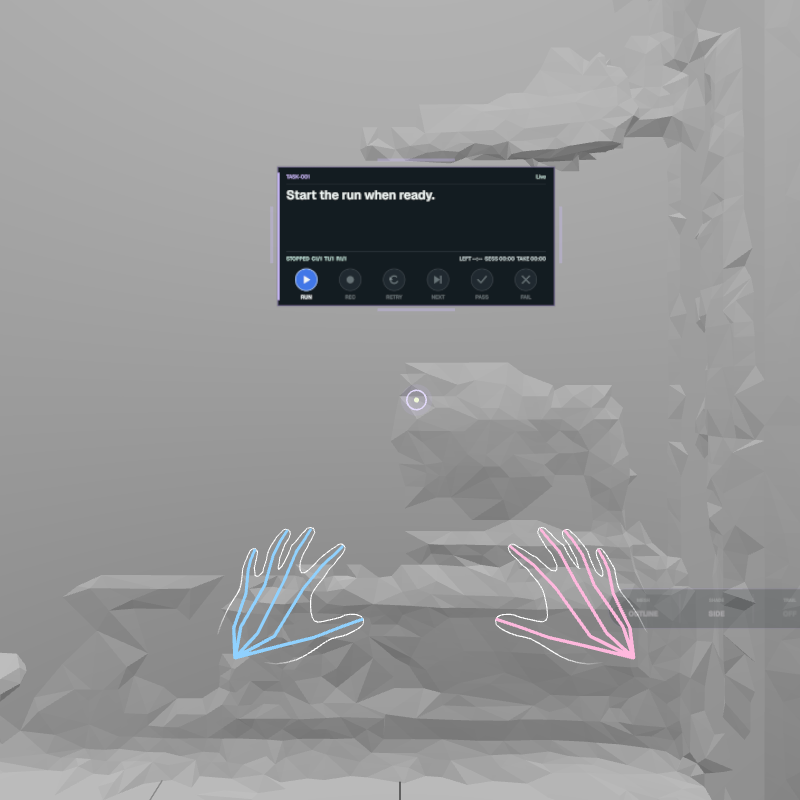
Enter the session, follow the cue and keep the action clear.
The demonstrator performs the task in Quest. Follow the HUD and tell the capture director when something important changes.
01
Join the session in Quest
Open the invitation link or scan the QR code supplied by the capture director.
Allow camera and microphone access, then select the outward camera.
Select Join XR and wait for the task HUD to appear.
Keep both hands comfortably in front of the headset while tracking starts.
If the invitation is no longer valid or another headset joined first, ask the capture director for a new invitation rather than opening another tab.
02
Use the HUD
Read the task cue in the centre of the display. Wait for REC before beginning the important action. Keep the camera view clear and let the capture director lead pauses, retries and take decisions unless they ask you to use a headset control.
The HUD confirms the active task and recording state while you work.
03
Respond to a speed warning
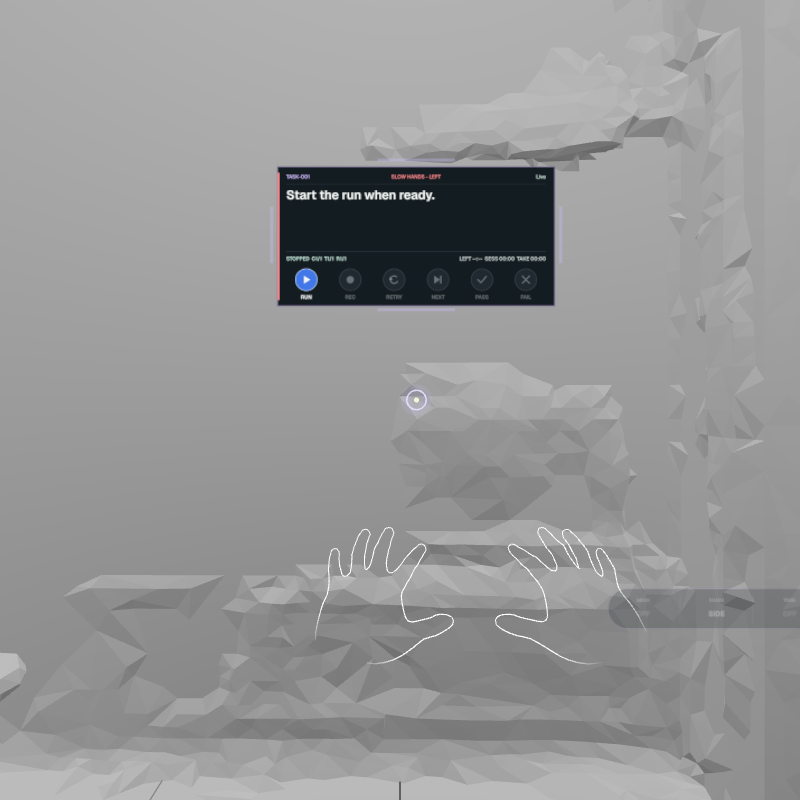
SLOW HANDS means that one or both hands are moving too quickly for a clear capture. Keep the task safe, slow the affected hand smoothly and avoid covering one hand with the other.
Keep the hand in front of the headset.
Check that the outline or points remain attached to the real hand.
If the overlay disappears during an important action, finish safely and tell the capture director.
Slow the affected hand when the task allows it, then continue with controlled movement.
04
Recover hand tracking
Bring the hand back into the space in front of the headset.
Separate the hands and uncover the fingers.
Slow down and hold still briefly.
Continue only when the overlay follows the real hand again.
Tell the capture director if tracking was missing during the important part of the action. Do not repeat a safety-critical movement until you agree whether the take is paused or being retried.