Instructions
Run a paired capture.
-
01
Open CERES
Capture director
Open the capture director on the monitoring computer, then build and apply the task sequence.
Demonstrator
Load the demonstrator interface on the Quest headset and grant the requested browser permissions.
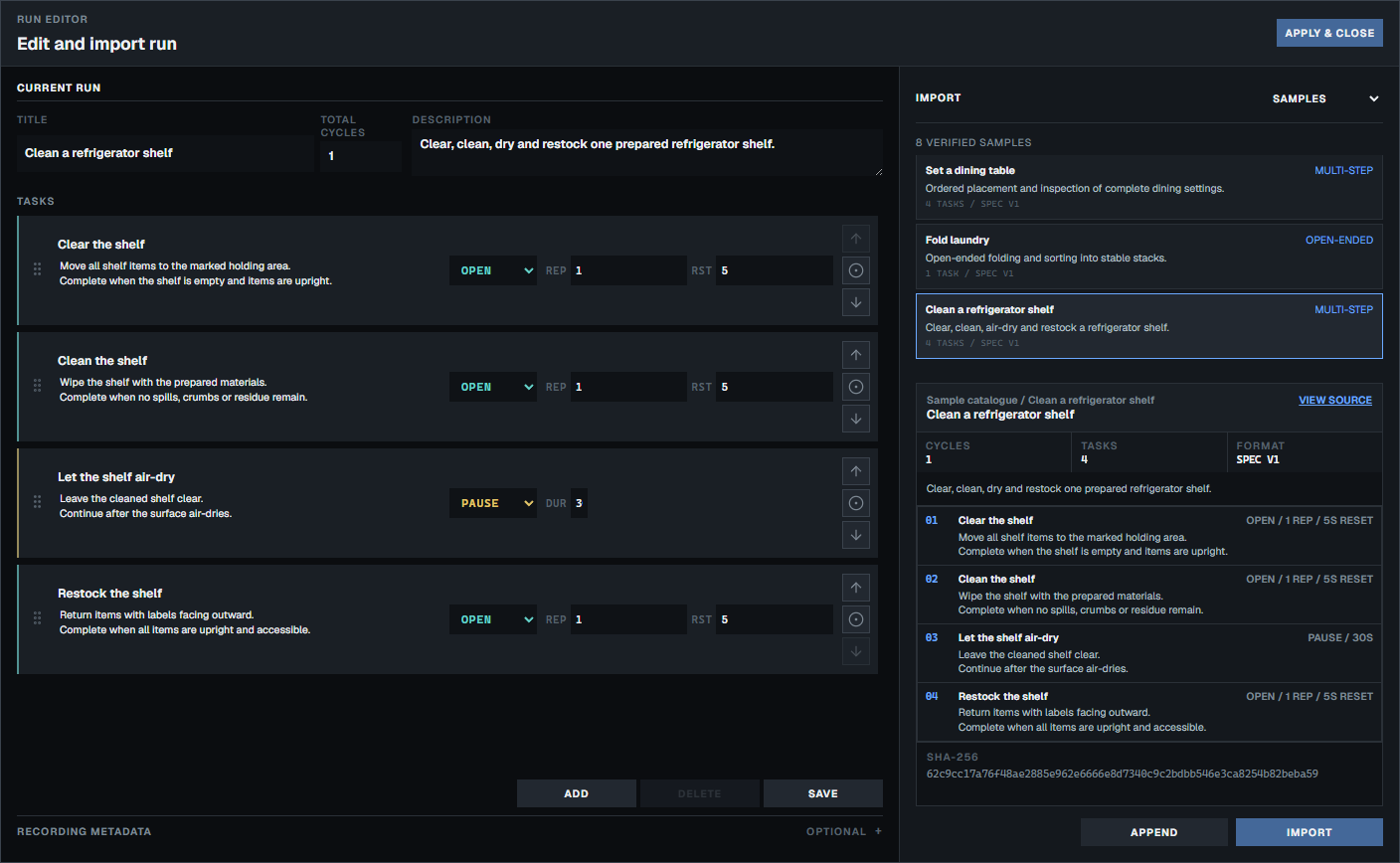 Build and apply the task sequence before the demonstrator begins.
-
02
Pair the session
Capture director
Create an invitation, then share its QR code, access link or account invitation with the demonstrator.
Demonstrator
Scan the QR code, open the access link or accept the invitation assigned to you. Keep the original invitation tab open for the session.
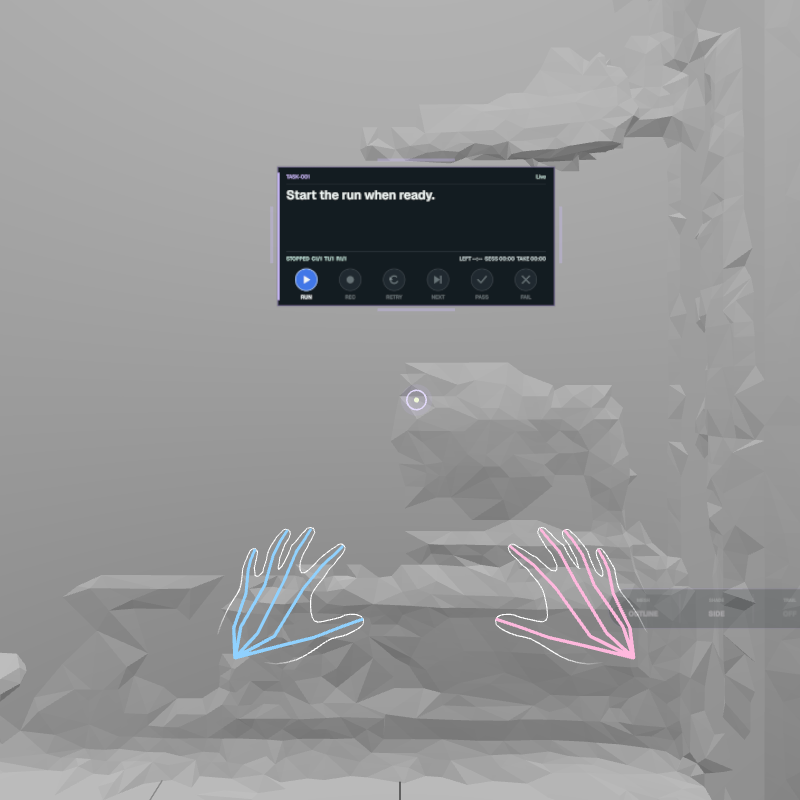 The paired HUD keeps the current task, timing and session controls in view.
-
03
Establish capture readiness
Capture director
Confirm the live view, XR tracking, storage and recorder checks, then set director readiness.
Demonstrator
Tap the full-width readiness area when it says Waiting for you. Begin only after it fills green and REC appears.
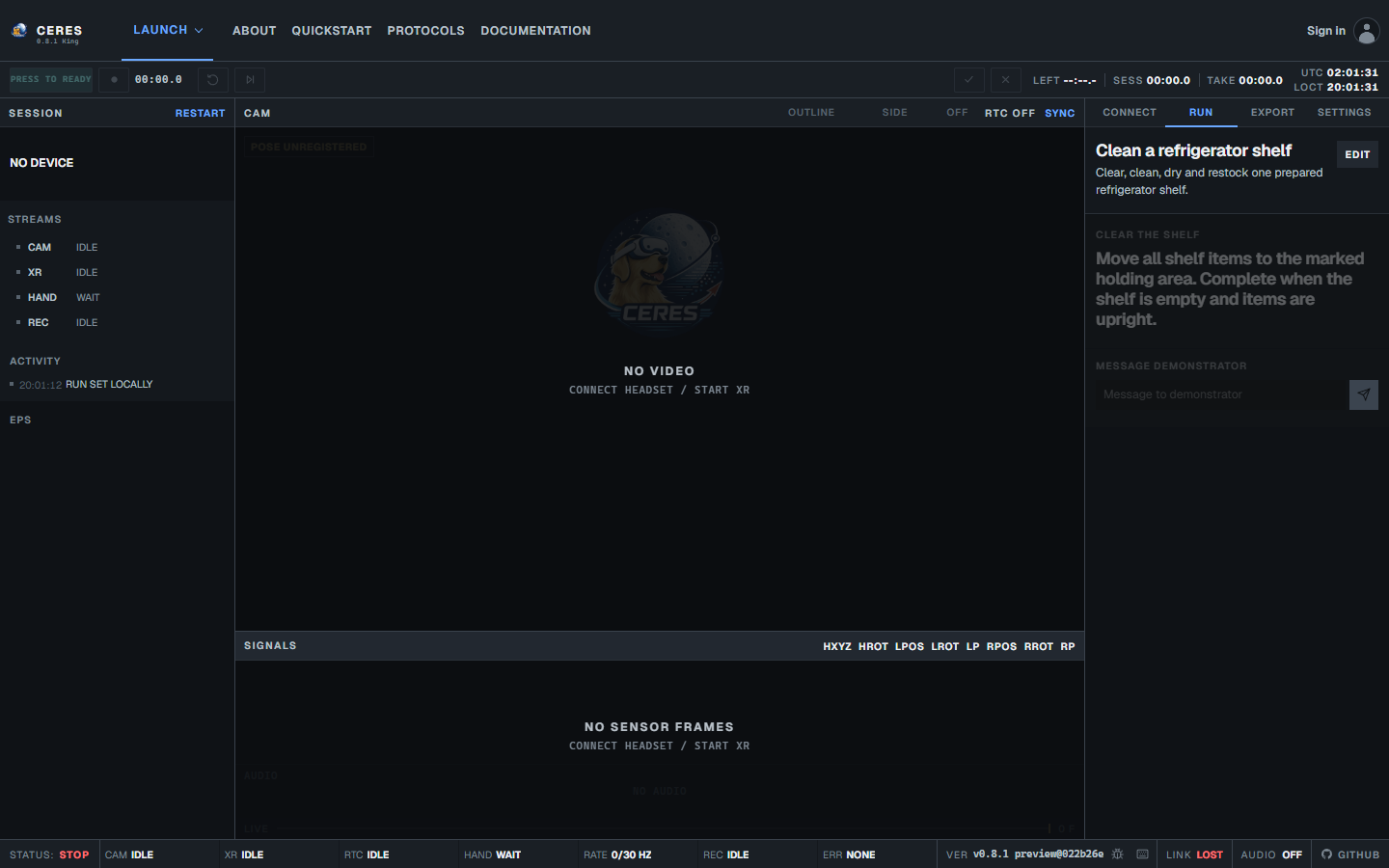 Check the live view and recorder status before both people set readiness.
-
04
Run and reset each task
Capture director
Direct the task and watch live capture health. During the reset, use pass or fail as optional annotations, retry the task or advance to the next task.
Demonstrator
Follow the task cue while REC is visible. During the reset, pass or fail may annotate the task but never hold the timer.
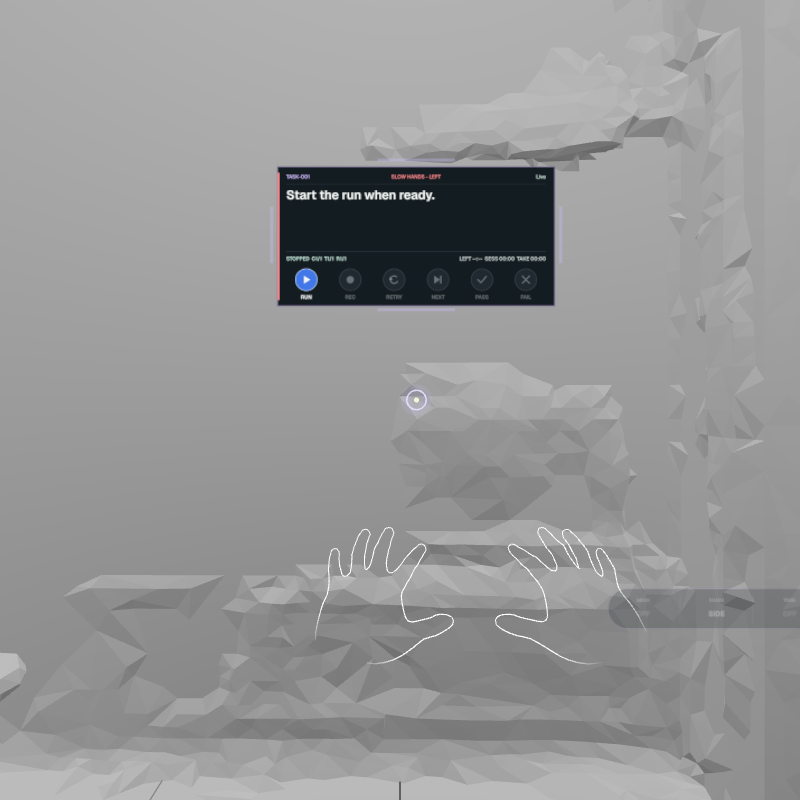 Respond to live quality feedback, then use the reset to annotate, retry or advance.
Make each task useful
- Before the first real task, rehearse the camera view, microphone, head pose, hand tracking and the intended task sequence.
- Keep cues short and observable, watch capture health during every task and retry tasks with unexplained gaps or tracking failures.
- Use the reset time to annotate, retry or advance while the action is still fresh.
Build a task sequence
- Give the run a clear title and describe the behaviour being captured in one or two sentences.
- Use open tasks when the capture director decides when to advance, timed tasks for fixed-duration actions and pauses for repeatable recovery periods.
- Set repetitions and reset windows deliberately, then order the steps as the demonstrator will perform them.
Respect participants
- Obtain the required ethics approval and informed consent before recording.
- Explain what CERES captures, who can see it, how long it will be retained and how participants can withdraw.
- Keep access links private and follow your institution's security and retention policies for video, audio and task data.
Need a role-by-role walkthrough?
Use the guide that matches the person running the next part of the session.
